
LifeLock Identity by Norton
NortonMobileFinance
4.312.87K Reviews
- Version
- 3.7
- Installs
- 5.00M
- Age Rating
- Everyone
Screenshots
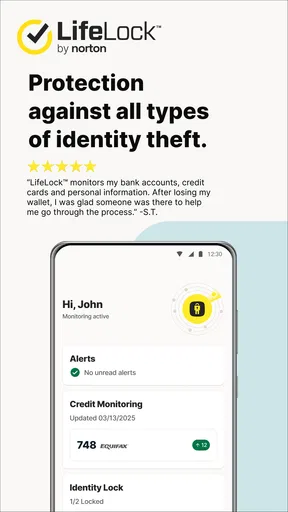
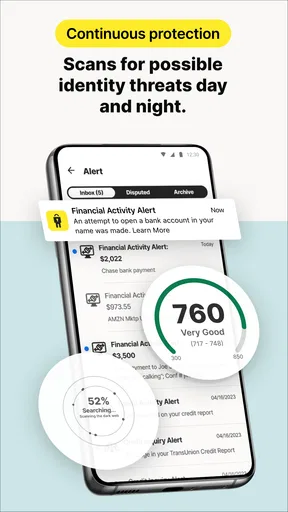
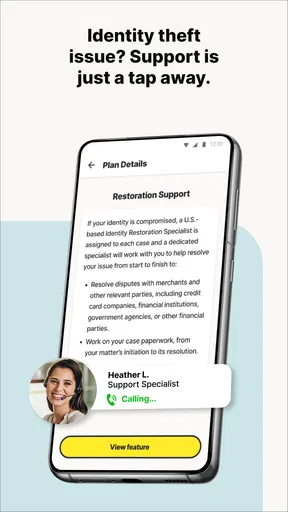
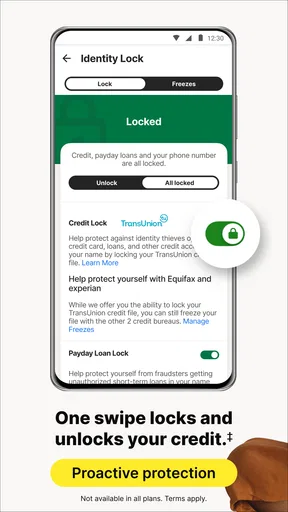
Our Review of LifeLock Identity by Norton
 Analysis by Appyee
I look at identity-protection apps differently from password managers or banking tools: their value is less about something I do every day and more about whether useful guidance is within reach when a warning appears. LifeLock Identity is a finance app from NortonMobile, aimed at people who want to manage identity-fraud alerts and related notifications from a phone. I’d consider it a companion to careful security habits, not a substitute for them.
What the free price does—and does not—tell you
The app is free to install, which makes trying its mobile interface less of a commitment than starting with a paid service. That does not mean every service or level of protection is free: in-app purchases range from ten dollars to three hundred and thirty-nine dollars and ninety-nine cents per item. I would check the purchase terms and what a particular option includes before paying, rather than assuming the free download covers everything or that the highest-priced item is necessary.
That distinction matters in this category. A free monitoring dashboard can be useful, but it is not the same thing as a complete identity-protection plan. If you only want a place to review alerts, the app may be enough to explore; if you expect paid assistance or broader coverage, compare the exact offer with your needs before committing. The app itself is rated for Everyone, though the decision to share sensitive personal information or buy a service is one adults should make carefully.
Where the value is most practical
The strongest case for LifeLock Identity is convenience: it puts identity-related notifications and fraud alerts on a device many people already check throughout the day. That can shorten the gap between noticing a warning and deciding what to do next. I see the most value for someone who would otherwise overlook email notices, wants a central mobile place to keep an eye on account-related concerns, or is already considering Norton’s identity-protection offerings and wants to manage them on the go.
It has a 4.4 average from around forty-two thousand ratings, and more than five million installs. Those figures suggest that plenty of people have tried it, but popularity alone cannot tell me whether a paid plan fits a particular person or whether every alert will be relevant. I’d treat the app as a way to stay organized and responsive, not as proof that identity theft cannot happen.
Trade-offs to weigh before relying on it
Identity protection is not a set-and-forget guarantee. An alert only helps if I notice it, understand what it refers to, and take appropriate action. I’d keep notifications enabled for the alerts I consider important, then review the app periodically rather than dismissing everything as routine. If alerts become noisy, adjusting notification preferences can help, but filtering too aggressively risks hiding a notice I would have wanted to see.
The other trade-off is cost clarity. The download is free, while optional purchases can be substantial, so I would not treat “free” as a promise of full access. Before buying, I’d look closely at the plan’s scope, renewal terms, and cancellation details in the purchase flow. If all I need is basic account hygiene—unique passwords, multifactor authentication where available, and direct account alerts from my bank or email provider—those steps may be a better first move than paying for a separate identity service.
Who I’d recommend it to
I’d point this app toward someone who wants identity-related alerts gathered on a phone and is willing to inspect paid options carefully. It may be especially handy for a person who travels, checks email inconsistently, or prefers a mobile dashboard to managing every notice in a crowded inbox. NortonMobile’s app has been available since November 2018, and its current version is 3.1; it requires Android 10 or later. Those details help Android users judge compatibility, while the app’s free install gives interested users a low-friction way to see how it fits their routine.
I would skip it if you expect the app alone to prevent fraud, want a clearly defined no-cost protection package, or do not want another service to monitor. It is also not the obvious first choice for someone who already has a plan they understand and use, or who mainly needs help securing a few online accounts. In those cases, direct security settings and existing provider tools may be simpler and more transparent.
A realistic way to use the alerts
Imagine I receive a notification while commuting that asks me to review suspicious identity-related activity. I would open the notice when I could give it proper attention, check what activity it describes, and avoid responding to any unexpected request for passwords or payment details. If it appears credible, I would use a known, official route to contact the relevant company rather than relying on links in an unsolicited message. The app can make the warning easier to notice; judgment and safe verification still belong to me.
A useful habit is to decide in advance what counts as urgent. I’d allow notifications that could require prompt attention, silence less important updates if the app offers that control, and set a regular moment to review anything I have deferred. That gives alerts a better chance of prompting action without turning every phone buzz into an emergency. It also helps me distinguish a notification channel from a full investigation or resolution process.
How it fits beside familiar alternatives
Compared with checking email alerts one by one, a dedicated identity app can offer a more focused place to review notices. Compared with a password manager, however, it serves a different purpose: a password manager helps me create and store stronger credentials, while identity-protection tools are about monitoring and responding to identity-related concerns. Neither replaces the other. For many people, starting with unique passwords, multifactor authentication, and alerts from banks and other account providers is the more direct and affordable foundation.
Credit monitoring or identity services from a bank, insurer, or another provider may also be worth comparing if they are already included in an arrangement I have. I’d compare coverage and support, not just the number of notifications or the app’s polished appearance. The important question is what happens after a warning: what the service covers, what I must do myself, and whether the price makes sense for that help. Those details matter more than installing several overlapping monitoring apps.
First Impressions and Setup
Setting up LifeLock Identity by Norton was a breeze. Seriously, it took me less time than brewing a cup of coffee. The app guides you through each step, making sure you’re aware of what info it's going to protect. Once installed, the interface is clean and intuitive. I didn't find myself getting lost in a maze of confusing options, which is a win in my book.
Features That Stand Out
The app is packed with features, and honestly, it’s like having a Swiss army knife for identity protection. Here’s what caught my eye:
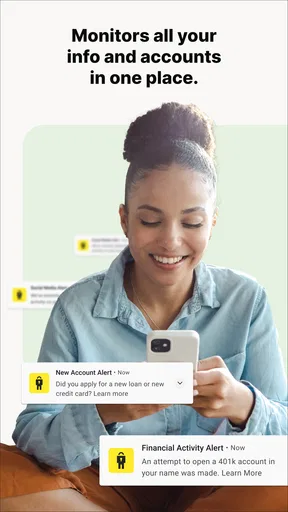
- Real-time Alerts: This is probably my favorite feature. The app sends you alerts if it detects any suspicious activity regarding your personal info. It's like having a watchdog that never sleeps.
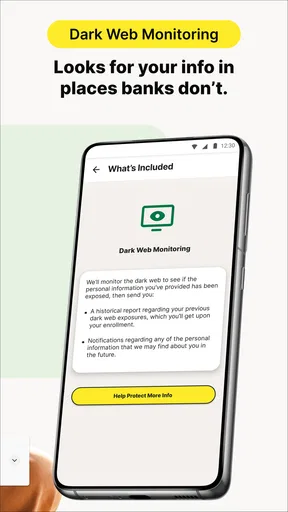
- Dark Web Monitoring: I’ve always been a bit creeped out by the dark web, but knowing that LifeLock is scouring it to check if my data is floating around out there is reassuring.
- Identity Restoration Support: If, heaven forbid, your identity is compromised, LifeLock has a dedicated team to help you restore it. I haven’t needed this yet (thankfully), but knowing it's available is a comforting thought.
User Experience
The user experience is where LifeLock really shines. The app is designed to be user-friendly, even for those who might not be super tech-savvy. The dashboard gives you a quick overview of your protection status and any alerts you should be aware of. Plus, navigating through the app is smooth, with no lagging or crashing, at least in my experience.
Peace of Mind
One thing I've noticed since using LifeLock is a newfound peace of mind. I mean, let's face it, in today's world, we're all a bit paranoid about our personal information being stolen. But with LifeLock, I feel like I’m one step ahead of the cyber crooks. It’s like having my own security team working around the clock.
What Could Be Better?
Of course, no app is perfect. While LifeLock offers a robust suite of features, it does come with a subscription cost, which might be a turn-off for some. Personally, I think the peace of mind is worth it, but I totally get if you're on a budget and need to weigh your options.
Another point to consider is that some users might find the number of alerts overwhelming. Thankfully, you can customize these notifications to better suit your preferences.
Final Thoughts
In conclusion, if you're serious about protecting your identity, LifeLock Identity by Norton is a solid choice. It’s comprehensive, easy to use, and offers features that genuinely help you stay ahead of potential threats. While it does come at a cost, the level of protection and peace of mind it provides makes it a worthy investment in my book. So, if you're ready to amp up your security game, give LifeLock a shot. Your future self might just thank you.
Verdict
Strengths of LifeLock Identity by Norton
- Comprehensive identity theft protection.
- Real-time alerts for suspicious activity.
- Simple and intuitive user interface.,24/7 customer support availability.
- Includes credit monitoring features.
Limitations of LifeLock Identity by Norton
- Subscription can be quite pricey.
- App may drain battery quickly.
- Some features require additional fees.
- Limited functionality without premium plan.
- Occasional false positive alerts reported.
Other Releases by NortonMobile
View All
Norton360 Antivirus & Security
Tools4.6

Norton VPN – Fast & Secure
Tools4.4

Norton Cleaner – Junk removal
Tools4.6

Norton Family Parental Control
Parenting3.2
Similar Picks in This Category
View All
Google Wallet
Google LLC4.3

Airtel: Recharge, Bank & Loans
Airtel4.0

PayPal - Pay, Send, Save
PayPal Mobile4.2

DANA Indonesia Digital Wallet
PT Espay Debit Indonesia Koe4.5

Binance: Buy Bitcoin & Crypto
Binance Inc.4.8

Cash App
Block, Inc.4.7
Frequently Asked Questions
What features does LifeLock Identity by Norton offer?
LifeLock Identity by Norton provides comprehensive identity theft protection, including dark web monitoring, identity restoration support, and stolen funds reimbursement. It also offers credit monitoring across all three major bureaus and alerts for suspicious activity. Users can access a range of tools to safeguard personal information, making it a robust choice for identity protection.
Is LifeLock Identity by Norton easy to set up?
Yes, setting up LifeLock Identity by Norton is straightforward. After downloading the app, users are guided through a simple registration process. The app’s user-friendly interface ensures that even those who are not tech-savvy can easily navigate its features and customize their settings for optimal protection.
Does LifeLock Identity by Norton affect device performance?
LifeLock Identity by Norton is designed to run efficiently in the background without significantly impacting device performance. It uses minimal resources, ensuring that your device maintains its speed and functionality while providing continuous protection against identity theft and fraud.
How does LifeLock Identity by Norton handle privacy concerns?
LifeLock Identity by Norton takes privacy seriously and implements robust encryption and security measures to protect user data. The app complies with privacy laws and provides transparency about data usage. Users can access and control their personal information settings directly through the app, ensuring peace of mind.
What should I do if I experience identity theft while using LifeLock?
If you experience identity theft while using LifeLock Identity by Norton, the app provides 24/7 support and immediate access to identity restoration specialists. They will guide you through the recovery process and help resolve any issues. Additionally, eligible users may receive stolen funds reimbursement, depending on their plan.
